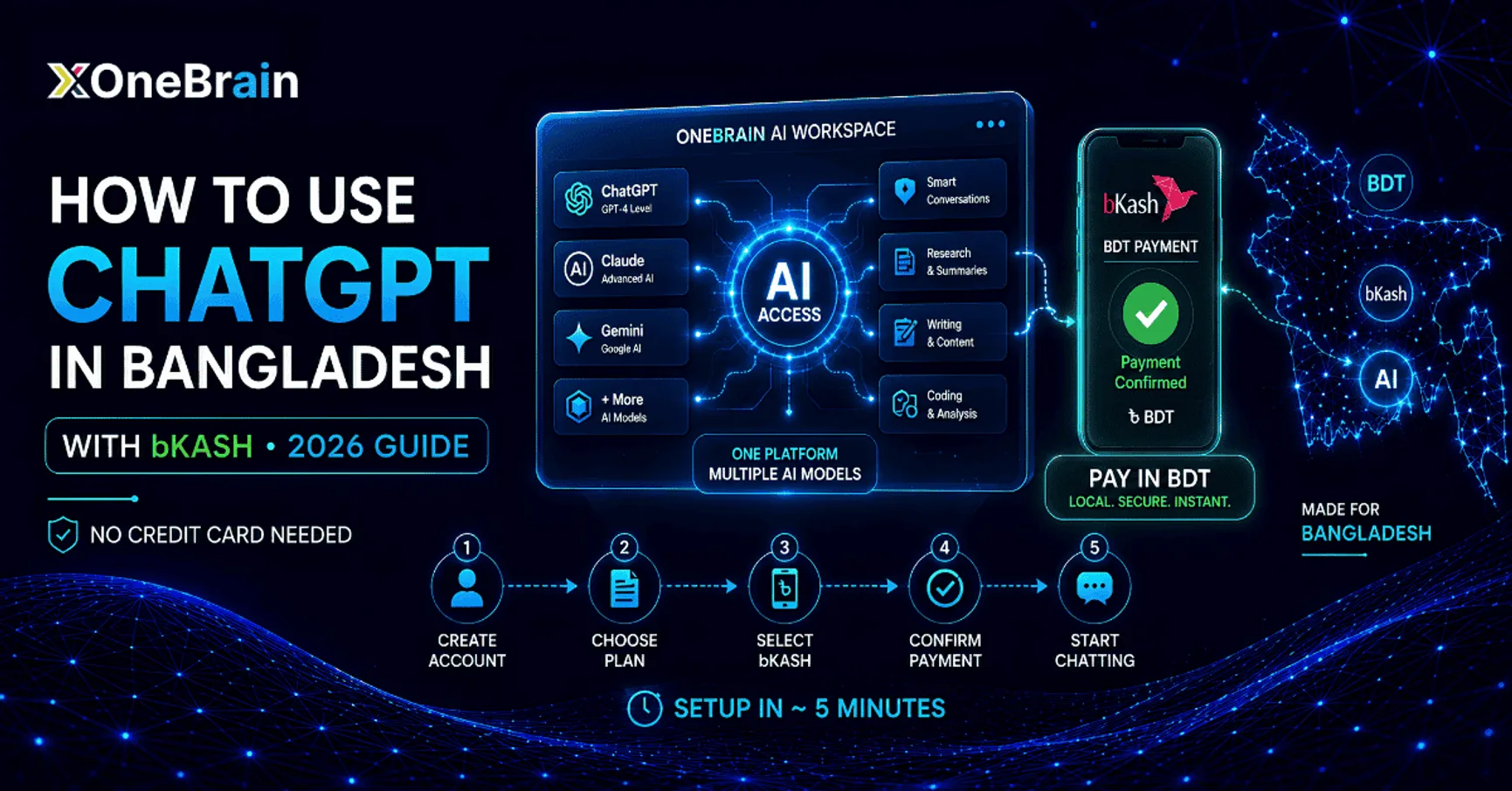
How to Use ChatGPT in Bangladesh with bKash (No Credit Card Needed)
The official editorial panel of OneBrain, dedicated to guiding students, freelancers, and young professionals in Bangladesh with actionable career and tech insights.
How to Use ChatGPT in Bangladesh with bKash (No Credit Card Needed)
If you've ever tried to subscribe to ChatGPT Plus from Dhaka, Chittagong, or anywhere else in Bangladesh, you've probably hit the same wall: OpenAI wants an international credit card, and your local bank card gets declined at checkout. It's frustrating — you have the money, you have bKash sitting right there on your phone, but ChatGPT simply won't take it.
Here's the good news: there's a straightforward way around this. This guide walks you through exactly how to use ChatGPT in Bangladesh with bKash, step by step, using a local platform called OneBrain that lets you pay in BDT and get instant access to GPT-4-level AI, Claude, and other premium models — no dual-currency card, no VPN, and no risky reseller accounts.
Why Can't You Pay for ChatGPT Plus with bKash Directly?
OpenAI's checkout only accepts Visa or Mastercard issued by supported international banks. For most Bangladeshi users, that means:
For students, freelancers, and small business owners who just want to use AI today, that's a lot of friction for a $20/month subscription. This is exactly the gap that local platforms built for Bangladesh — like OneBrain — are designed to close.
What Is OneBrain, and How Does It Solve the Payment Problem?
OneBrain is an AI platform built specifically for Bangladesh users who want access to top AI models without the international payment barrier. Instead of subscribing to each AI tool separately, OneBrain gives you one local subscription — billed in BDT — that unlocks multiple leading models in a single workspace.
Think of it as a bKash payment AI tool: you top up or subscribe using a wallet you already use every day, and you're chatting with advanced AI within minutes.
Key Features
How to Use ChatGPT in Bangladesh with bKash: Step-by-Step
Here's the exact process to get set up:
Step 1: Go to OneBrain
Visit onebrain.app from your phone or laptop and create a free account with your email.
Step 2: Choose a Plan
Compare the available plans and pick the one that matches how much you'll use AI each month — light use, daily writing, or heavier development/business workflows.
Step 3: Select bKash or Nagad at Checkout
On the payment page, choose bKash (or Nagad, if you prefer) as your payment method instead of card payment.
Step 4: Confirm the Payment on Your Phone
Approve the transaction through your bKash app just like you would for a mobile top-up or a merchant payment — no card numbers, no OTP from a foreign bank.
Step 5: Start Chatting
Once payment confirms, your account activates instantly. You can start writing, researching, coding, or generating content right away — no waiting period.
The whole process typically takes about 5 minutes, start to finish.
Can You Pay for ChatGPT with Nagad Too?
Yes. If you'd rather pay for ChatGPT with Nagad instead of bKash, OneBrain supports that as well. The checkout flow is the same — just select Nagad as your payment method and confirm from your Nagad app. This flexibility matters because not everyone in Bangladesh uses the same mobile wallet, and a genuinely local platform should support the ones people actually have.
OneBrain vs. ChatGPT Plus: Quick Comparison
| Feature | ChatGPT Plus (Direct) | OneBrain |
|---|---|---|
| Payment method | International Visa/Mastercard only | bKash, Nagad, local bank options |
| Currency | USD | BDT (local pricing) |
| Models included | GPT models only | GPT-4-class, Claude, Gemini & more |
| VPN required | Sometimes, for signup issues | No |
| Setup time | Depends on card approval | ~5 minutes |
| Local support | English only, US-based | English & Bangla |
Is It Safe and Legal to Use OneBrain?
This is a fair question, and worth addressing directly:
Is it legal? Yes — OneBrain operates as a registered platform providing AI access through official API partnerships, rather than shared or pirated accounts.
Will my account get banned? No — since you're not using a shared ChatGPT login, there's no account-sharing risk tied to your identity.
Can I cancel anytime? Yes, there's no long-term lock-in with typical plans.
What if my bKash payment fails? Reach out to OneBrain's support team via their website, Facebook, or WhatsApp — this is standard for local BDT transactions.
Compare that to buying a shared ChatGPT Plus login from an unofficial reseller, which usually violates OpenAI's terms of service, comes with no refunds, and carries real privacy risk. A local, purpose-built platform is generally the safer route if you can't get a dual-currency card.
Who Is This For?
Frequently Asked Questions
Can I use ChatGPT for free in Bangladesh? Yes, the free tier of ChatGPT is available in Bangladesh with no payment needed. The payment barrier only applies when you try to upgrade to a paid plan.
Do I need a credit card at any point with OneBrain? No. bKash and Nagad payments work on an ongoing basis — you don't need to add a credit card later.
Is OneBrain the same as ChatGPT Plus? No, it's a separate platform. It gives you access to GPT-4-class models (and others like Claude and Gemini) through its own interface and API partnerships, rather than reselling OpenAI's official subscription.
What if I only need ChatGPT and nothing else? If your work depends entirely on one specific official tool and you can get an international card, subscribing directly may still make sense. OneBrain is most useful when you want flexible, multi-model access with local payment convenience.
Final Thoughts
The payment barrier has kept a lot of talented people in Bangladesh from using premium AI tools — not because they don't want to, but because the checkout page won't cooperate. Now that you know how to use ChatGPT in Bangladesh with bKash, there's no real reason to keep working around declined cards or risky shared accounts.
If you want to skip the friction entirely, try OneBrain — subscribe with bKash or Nagad, and start using top AI models in BDT within minutes.